What you'll end up with
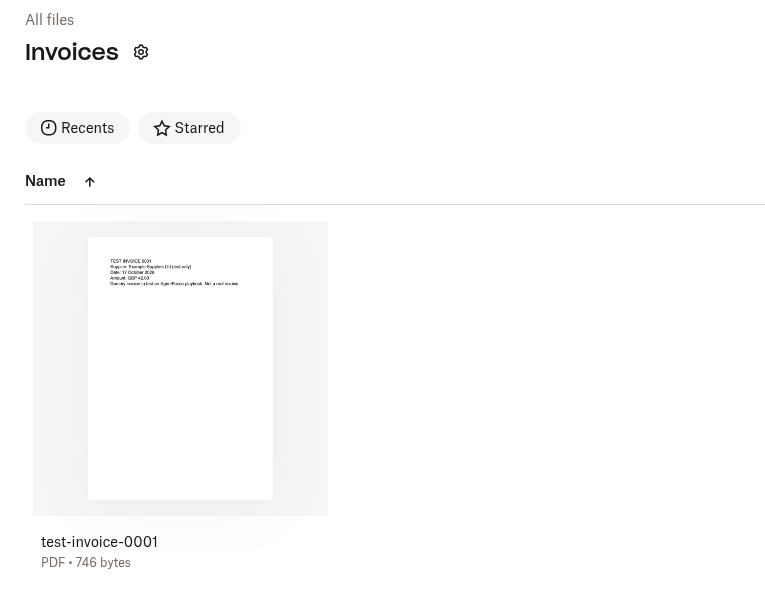
Your own @zapiermail.com address. Send or forward an invoice to it and the attachment is saved into a Dropbox folder such as /Invoices, with no dragging and dropping. Only emails you choose to send it are filed, so there's no filter to set up.
Why Zapier Free works here
Zapier's Free plan includes 100 tasks a month and two-step Zaps (one trigger and one action) (Zapier pricing). This job needs exactly two steps, and neither Email by Zapier nor Dropbox is a premium app. Triggers don't count as tasks, so each saved invoice uses one task.
Steps
Start a Zap. In a free Zapier account, create a Zap. For the trigger, choose Email by Zapier, event New Inbound Email.
Pick your address. Zapier asks you to choose the start of your
@zapiermail.comaddress. Copy it and save it as a contact, for example "Invoices inbox".Send it one invoice. Email that address with a PDF attached, then click Test trigger. If Zapier says it can't find any emails from the last 24 hours, wait about a minute and test again.
Add the action. Choose Dropbox, event Upload File, and connect your Dropbox account. If Dropbox hasn't verified your email address yet, do that first, or the upload fails with
email_not_verified.Map the file. Set Folder to
/Invoices. In File, click + and pick Attachment from step 1. It shows as "(Exists but not shown)", which is normal. Don't pick "Raw File Pointers Url".Test, then publish. Click Test step and check the PDF is in Dropbox. Then click Publish. Confirm your Zapier email address first: if you haven't, the popup only says "Cannot publish your draft" and the real reason is in the Status sidebar.
What can go wrong
Watch out for
- Emails sent to a @zapiermail.com address must be under 10 MB including attachments, and Zapier says inbound email can be delayed, so don't use it for anything urgent.
- We tested one PDF per email, so send one invoice per email.
- Automatic notification emails with no sender address, such as from Google Groups, won't trigger it.
- Anyone who learns the address can put files in your folder. Keep it to yourself.
- Dropbox may show a "Tell us about yourself" screen when you connect. You can skip it.
Best for / avoid if
Best for
Sole traders who get a handful of PDF invoices a week and want them in one folder without thinking about it.
Avoid if
You need more than 100 files a month, or you want it fully hands-free from Gmail. Gmail auto-forwarding to this address should work, but we haven't tested it yet.
Using Gmail?
You can forward any invoice to your Zapier address by hand, and that's what we tested. Gmail can also forward matching emails automatically with a filter, but it asks you to confirm the forwarding address first, and we haven't tested that step with a Zapier address. We'll add it here once we have.
Sources
- Zapier pricing, checked 17 Oct 2026
- Zapier: Trigger Zap workflows from new emails, checked 17 Oct 2026
- Zapier: Email by Zapier + Dropbox integrations, checked 17 Oct 2026
- Our own hands-on test, 17 Oct 2026
New to this? Get the free starter guide